A modern website for List4FlatFee.com
This proposal presents three design directions for a new List4FlatFee.com, explains how your current Google rankings will be protected during the move, and outlines options for editing the site and publishing blog posts yourself. Each design is a working demo built with your real services, pricing and process. Click through them on your computer and your phone.
What the new site should do
Three design directions
Each direction uses the same content and the same order form you use today. They differ in look, tone and how interactive they are. You can pick one as-is or combine favorite parts.
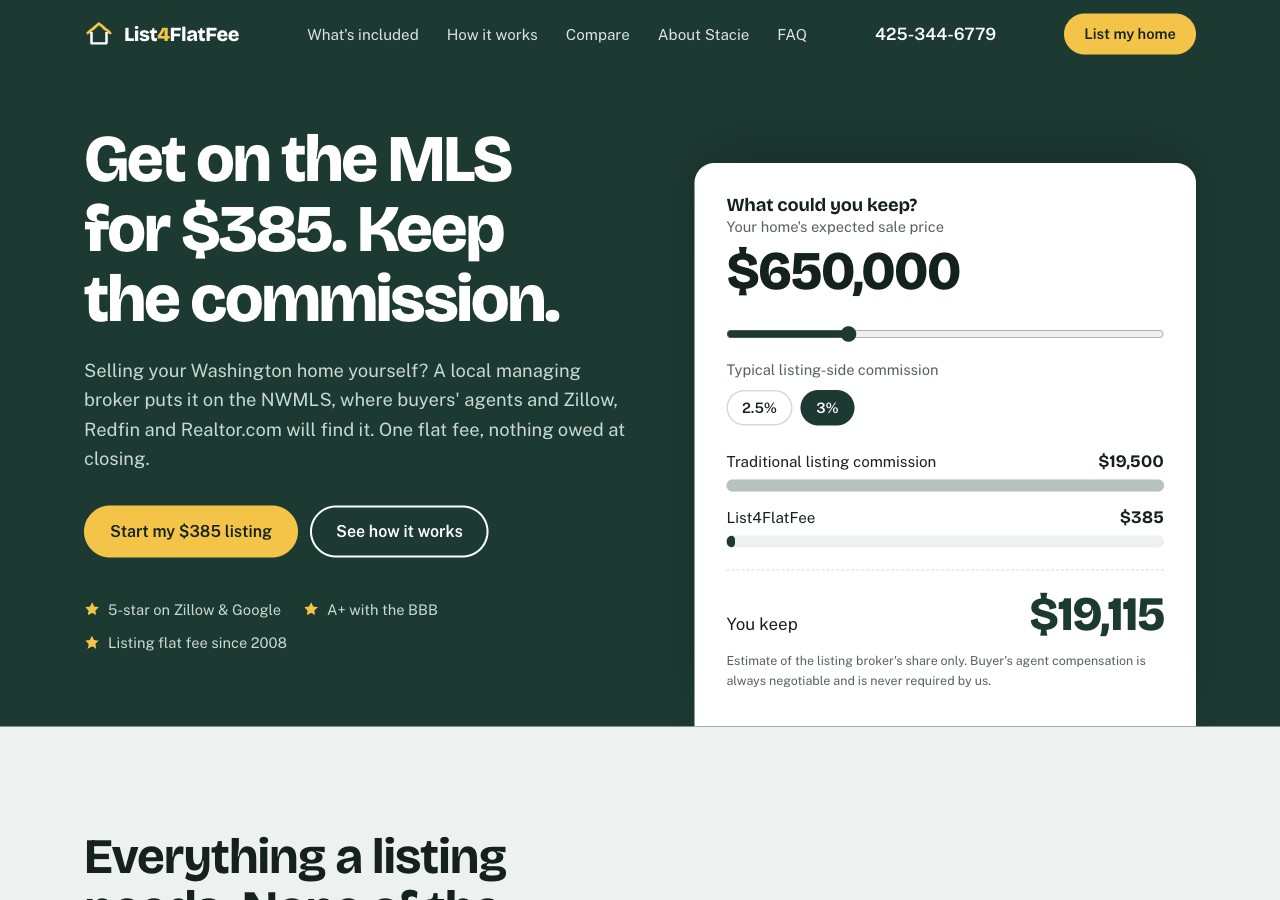
A: Evergreen
A fresh Pacific Northwest look built around a savings calculator. Visitors drag a slider to their home's price and see the commission they'd keep.
- New palette: evergreen, Puget Sound blue, sign yellow
- Savings calculator at the top of the page
- FSBO vs. flat fee vs. traditional agent comparison
Best if: you want a fresh, calm, premium feel.
View Concept A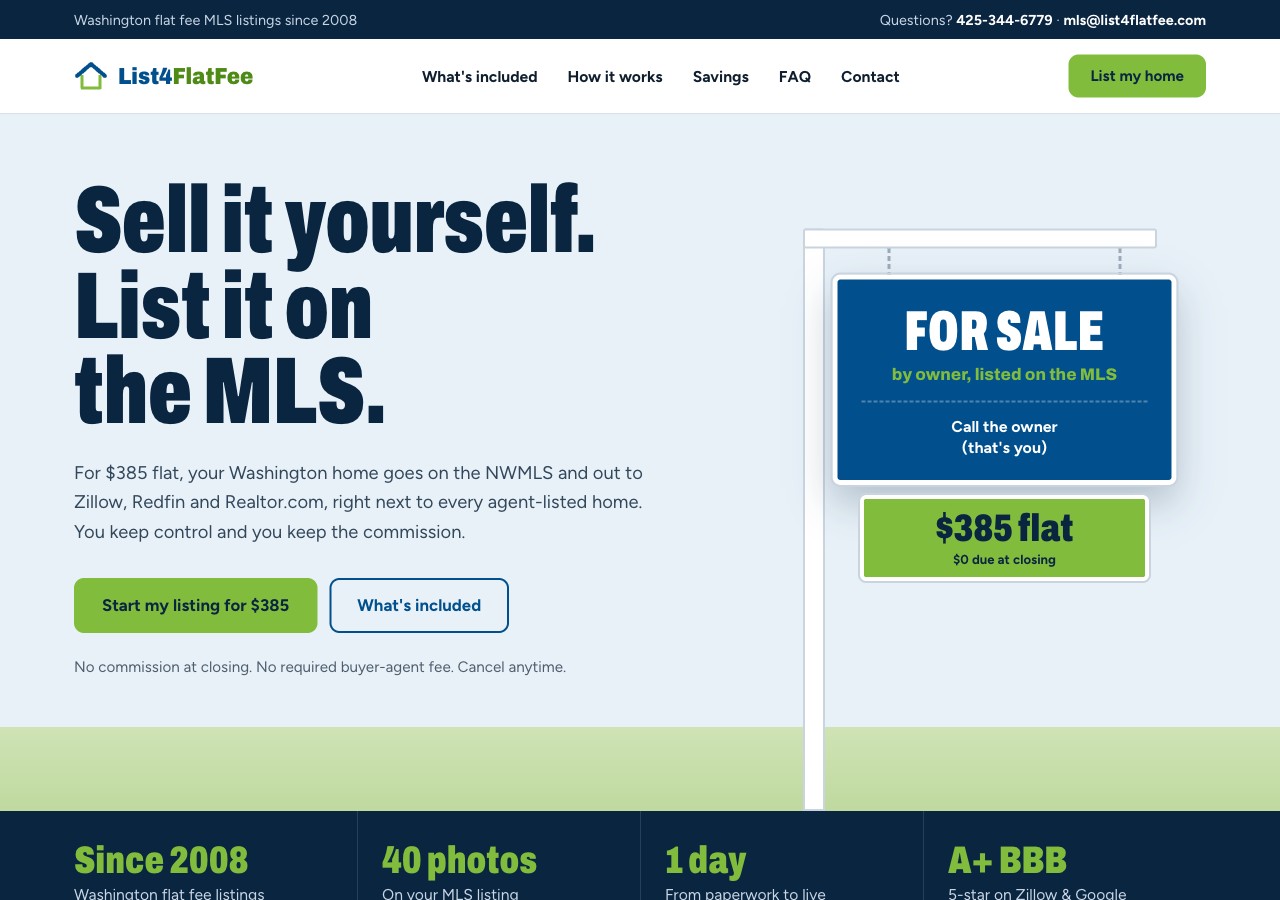
B: Yard Sign
Your current blue and green, modernized. The page opens with a for-sale sign, and pricing is shown as a simple receipt: $385 today, $0 at closing.
- Familiar brand colors, bolder type
- Receipt-style pricing and savings table
- Contact form that opens a pre-filled email to you
Best if: you want past clients to recognize the brand instantly.
View Concept B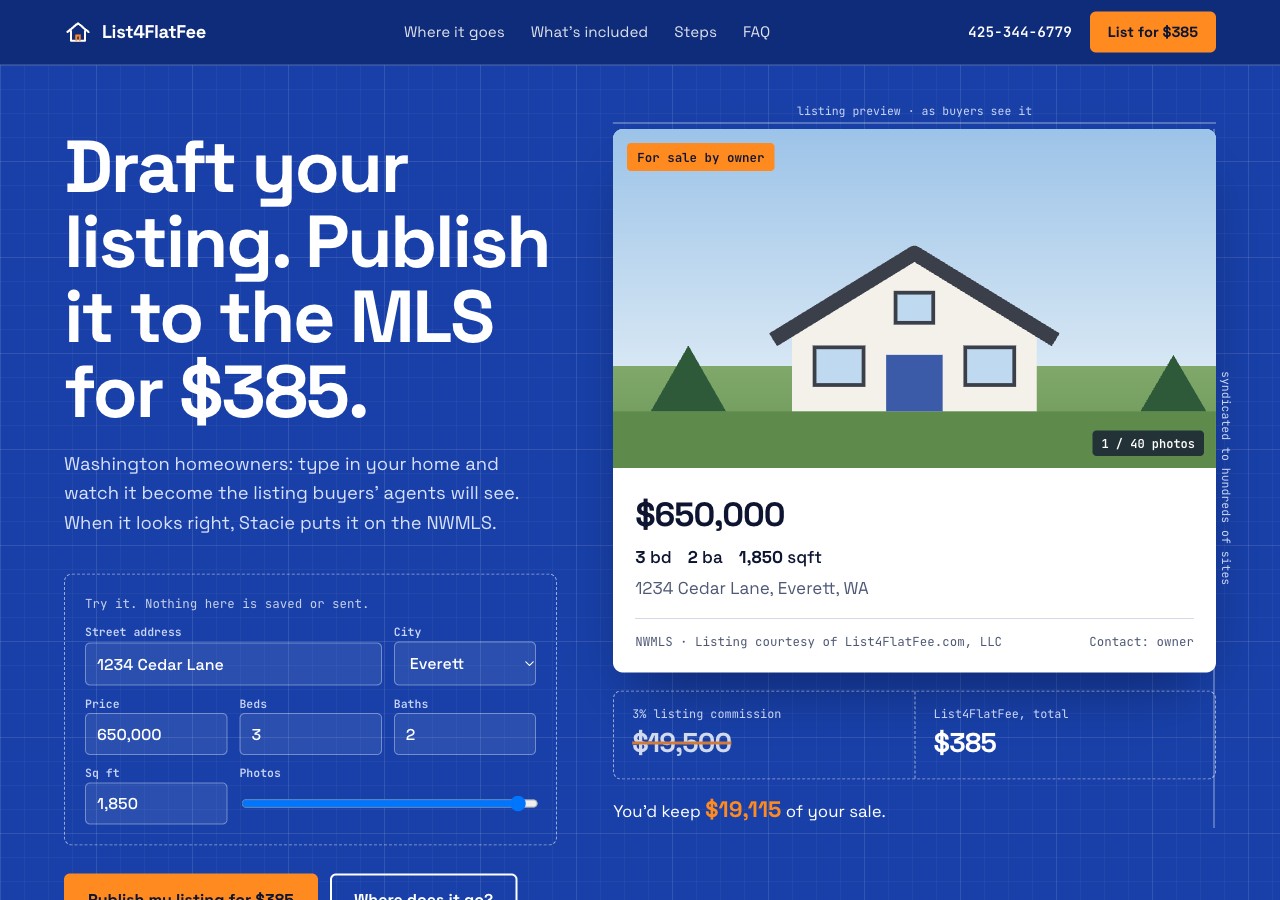
C: Blueprint
The most distinctive option. Visitors type in their own home and watch their MLS listing take shape before they order. What's included is shown as a floor plan they can tap through, room by room.
- "Draft your listing" live preview
- Animated map of where a listing is shown
- Interactive floor plan of features and add-ons
Best if: you want to stand out from every other flat fee broker.
View Concept CProtecting your Google rankings
A redesign doesn't have to cost you search traffic. Rankings carry over when the domain, the page addresses and the page content stay in place. We reviewed the current site; here is what will be kept and what will be improved, whichever design you choose.
What we'll keep
- Your domain, list4flatfee.com. The new site launches on the same address.
- Every existing page address, such as
/default.asp.pg-Howitworks, so links from Google, other websites and old emails keep working. - A separate page for each topic. The demos are single pages for easy review; the finished site keeps individual pages for What's Included, How It Works, How to List, Selling FSBO, Seller Resources, About and Contact.
- Your search phrases: flat fee MLS, Washington flat fee, for sale by owner (FSBO), NWMLS, RMLS, flat listing fee.
- Your written content, including the FSBO guide and Seller Resources, restyled rather than removed.
- Your business name and phone, listed exactly as on Google, Zillow and the BBB.
What we'll improve
- Pricing in Google results. The home page title shown in search results still says $285, while the site says $385.
- Consistent history. The home page description says "since 1999"; the site says 2008.
- Unique page headings. Every page currently shares the same main heading, which makes pages harder for Google to tell apart.
- Sitemap and robots file. Neither exists today. Both help Google find and index every page.
- Search descriptions for the pages that are missing them (About, Seller Resources).
- Business details for Google. Structured data that tells Google your name, phone, license, service area and FAQs, which can produce richer search listings.
- Outdated keyword tag that lists other companies' names. It's no longer used by Google and will be removed.
- Speed and mobile. The new pages load much faster on phones, which Google rewards.
Your current pages and the plan for each
| Current address | Title in Google today | Plan |
|---|---|---|
/ | List For Flat Fee offer MLS Listing Service for $285 | Same address, corrected title |
/default.asp.pg-MLSListingfor285 | FSBO Listing in the MLS | Same address (What's Included) |
/default.asp.pg-Howitworks | Flat Listing Fee | Same address (MLS Flat Fee Explained) |
/default.asp.pg-ListingInstructionsStepbyStep | Listing Instructions | Same address (How to List) |
/default.asp.pg-HowtoSellYourHouseForSaleByOwner | How to Sell Your House For Sale By Owner | Same address, full article kept |
/default.asp.pg-SellerResources | Seller and Buyer Home Sale Resources | Same address, description added |
/default.asp.f-aboutme | About Us | Same address, more descriptive title |
/default.asp.f-contactme | Contact | Same address |
| News, glossary, welcome and property search pages | Provided by the current website platform | Permanently redirected to the closest new page (see questions below) |
Editing the site and publishing a blog
You'd like to update the site yourself and publish blog posts. That choice is separate from the design, because the editing tool determines where the site is hosted, the monthly cost and how much you can change without help. Any of the three designs can be built on any of the options below.
| Option | How editing works | Strengths | Trade-offs |
|---|---|---|---|
| 1. Fast site + simple editorThe design shown here, plus a web-based content editor | Log in, click the text, photos or blog post you want to change, edit and publish. | Fastest pages, full control over Google settings, low or no hosting cost, nothing to maintain or patch. | Changing the page layout itself (adding new kinds of sections) needs a developer. |
| 2. All-in-one website buildere.g. Webflow or Squarespace | Drag-and-drop page editing with a built-in blog. | Very easy to use, hosting and security handled for you, can rearrange pages yourself. | Monthly subscription; the chosen design is rebuilt inside the platform; old addresses handled by redirects. |
| 3. WordPress | The most widely used blog and website editor. | Excellent blogging tools, huge range of add-ons, easy to find help. | Needs hosting plus regular updates and security maintenance; slower unless carefully set up. |
Next steps
- Choose a directionPick a design (or a mix) and share feedback on wording, colors and photos.
- Build the full siteEvery page built in the chosen design, at your current addresses, on a private preview link for your review.
- Editing & blogSet up the editing option you choose, move your blog posts, and walk through how to make updates.
- Launch & monitorConfirm email and domain settings, go live, submit to Google, and monitor rankings for 4–6 weeks.
A few questions for you
- Listing price: the site says $385, but the title Google shows says $285. The demos use $385. Is that correct?
- Help with offers: the current site lists this as both 1% and $1,800. The demos say 1%. Which should we use?
- Property Search: the current search page is provided by LinkU. Would you like to keep a property search on the new site, or link to your Zillow profile and active listings instead?
- Photos: a recent, high-resolution headshot (and any photos of homes you've listed) would make any design stronger.
- Reviews: may we feature two or three of your Google or Zillow reviews as quotes on the site?
- Email: do you know whether your LinkU plan includes your email, and would you like to keep using it?